
Overview
This guide provides Illinois Districts with step-by-step instructions for exporting graduation rate data from the ISBE IWAS Student Information System (SIS). Follow these instructions to ensure you retrieve and securely send the correct data to ECRA Group.
Instruction Guide
Step 1 – Logging in
– Log into ISBE IWAS at apps.isbe.net/iwas/asp/login.asp.
Step 2 – Accessing the Student Information System
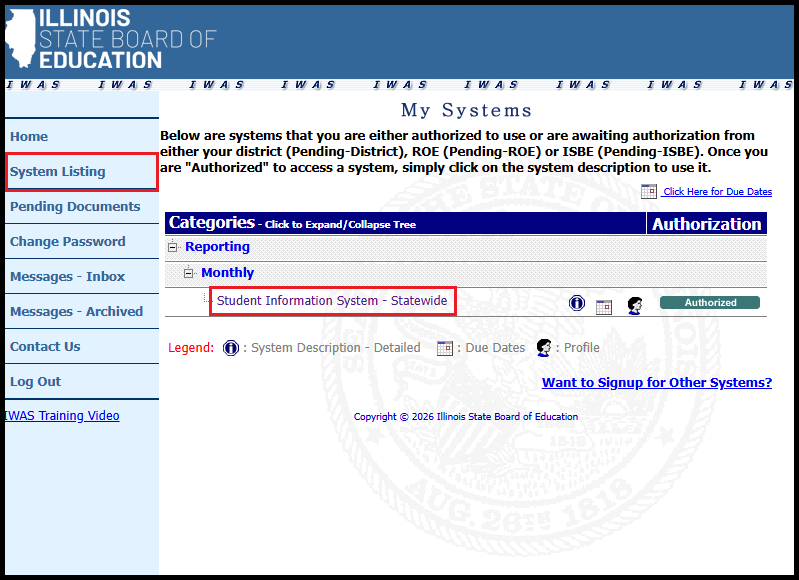
– Click System Listing in the left sidebar.
– Click Student Information System – Statewide.
Step 3 – Accessing Adjusted Cohort Graduation Rate Reports
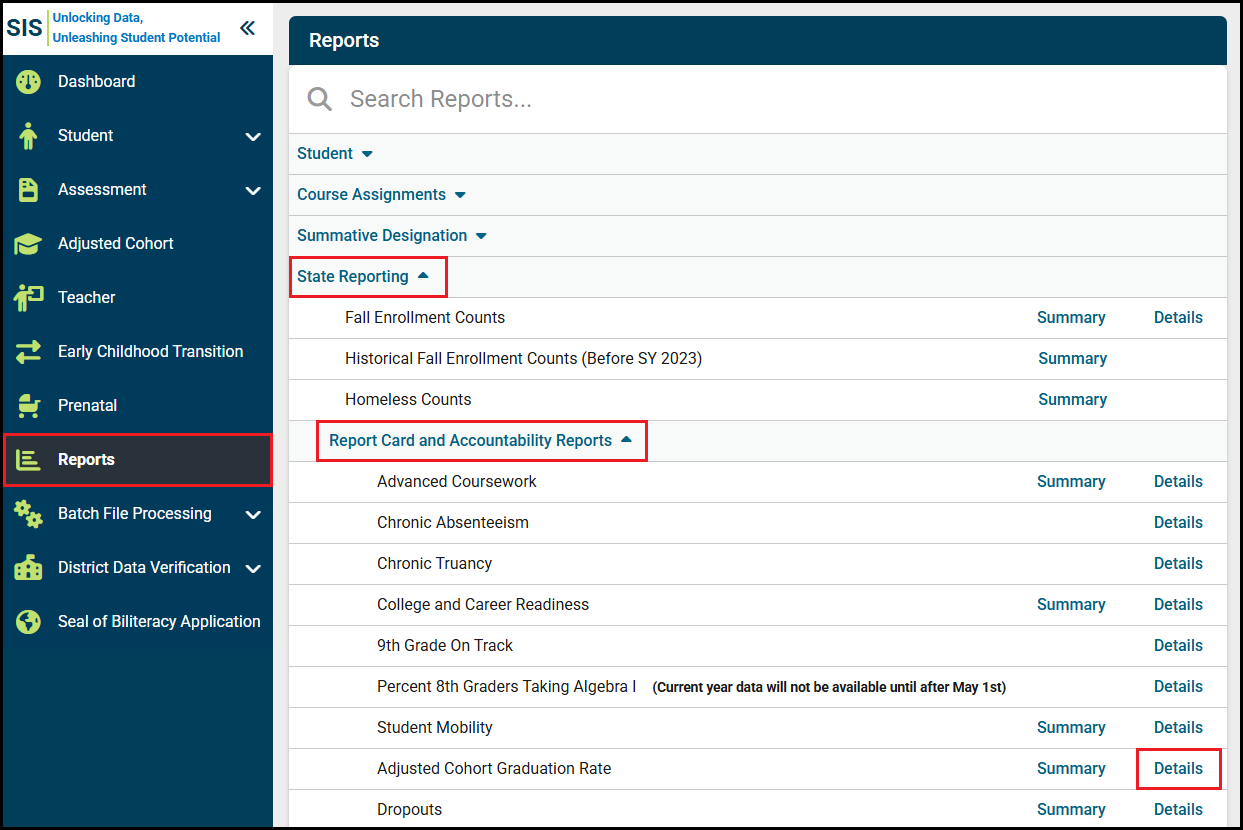
– Click Reports in the left sidebar.
– Click State Reporting to expand additional rows.
– Click Report Card and Accountability Reports to expand additional rows.
– On the right side of the Adjusted Cohort Graduation Rate row, click Details.
Step 4 – Downloading Adjusted Cohort Graduation Rate Reports
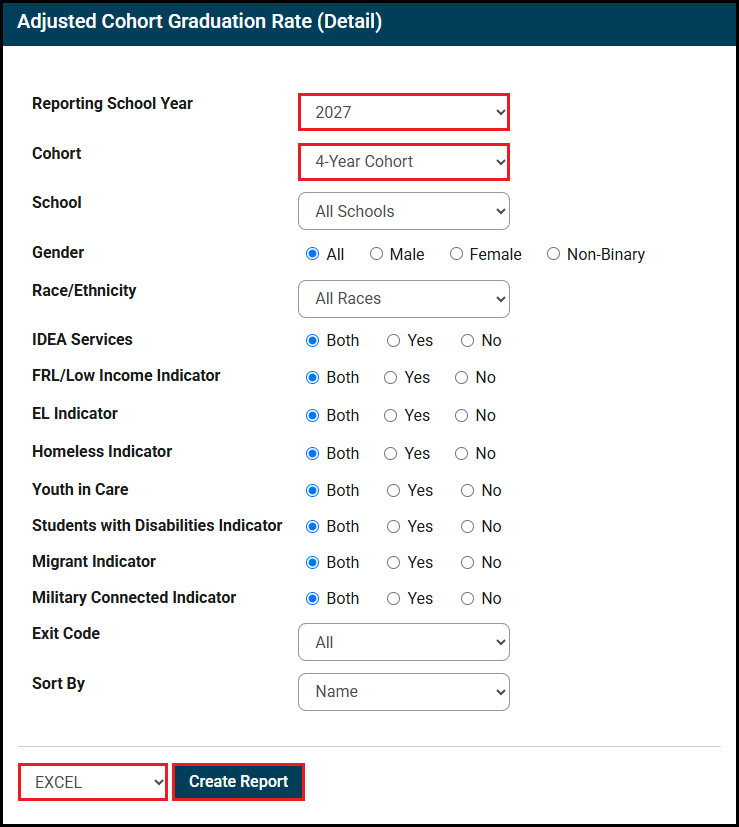
– Reporting School Year will default to the current year. Select a different school year from the dropdown if desired.
– Cohort will default to 4-Year Cohort. Select a different cohort if desired.
– Select EXCEL from the dropdown in the bottom left corner next to the Create Report button.
– Click Create Report in the bottom left corner.
Step 5 – Sending Data to ECRA Group
– Rename the downloaded file to include the following information before sending to ECRA:
– “Graduation Rate”
– District name
– School year selected for download
– Send the downloaded data file to ECRA using your district’s secure data transfer folder.