
Overview
This guide provides step-by-step instructions for exporting Achieve3000 data. Follow these instructions to ensure you retrieve and securely send the correct data to ECRA Group.
Instruction Guide
Step 1 – Logging In
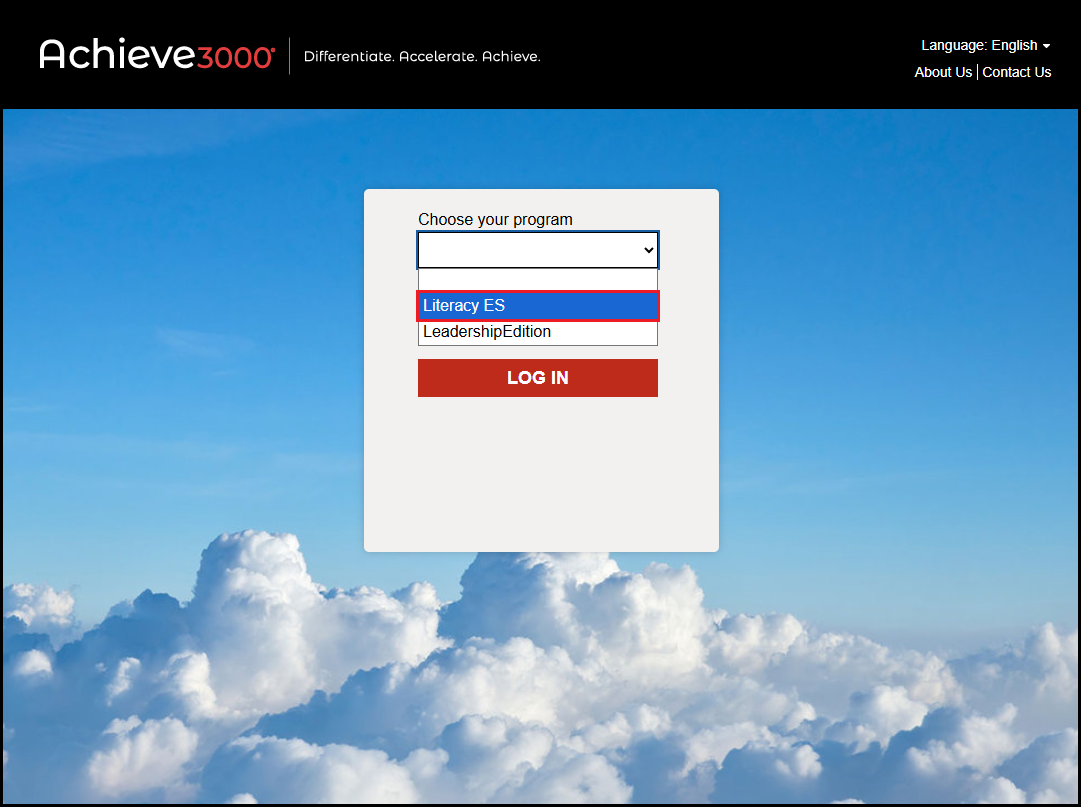
– Log in to Achieve3000 at portal.achieve3000.com -OR- your district’s designated Achieve3000 login page.
Step 2 – Accessing Literacy ES Program
– Select the Literacy program in the “Choose your program” dropdown menu.
– Click LOG IN.
Step 3 – Accessing Reports
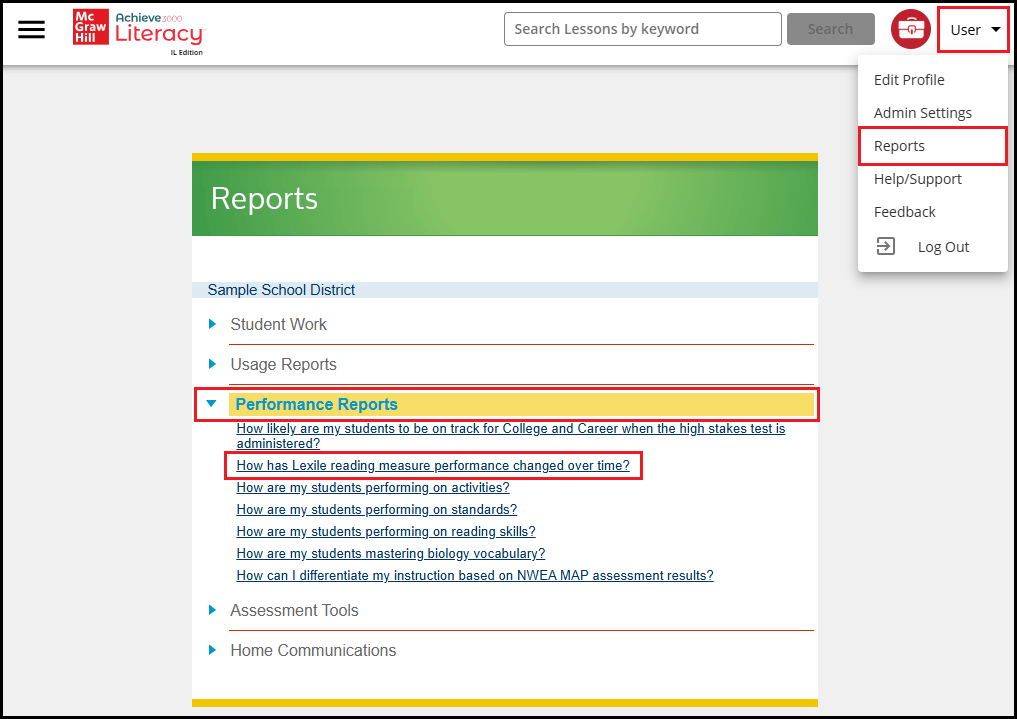
– In the top right corner, click on your name to open a dropdown menu. Select Reports from the dropdown menu.
– Click the Performance Reports header to expand.
– Click How has Lexile reading measure performance changed over time?
Step 4 – Viewing Reports
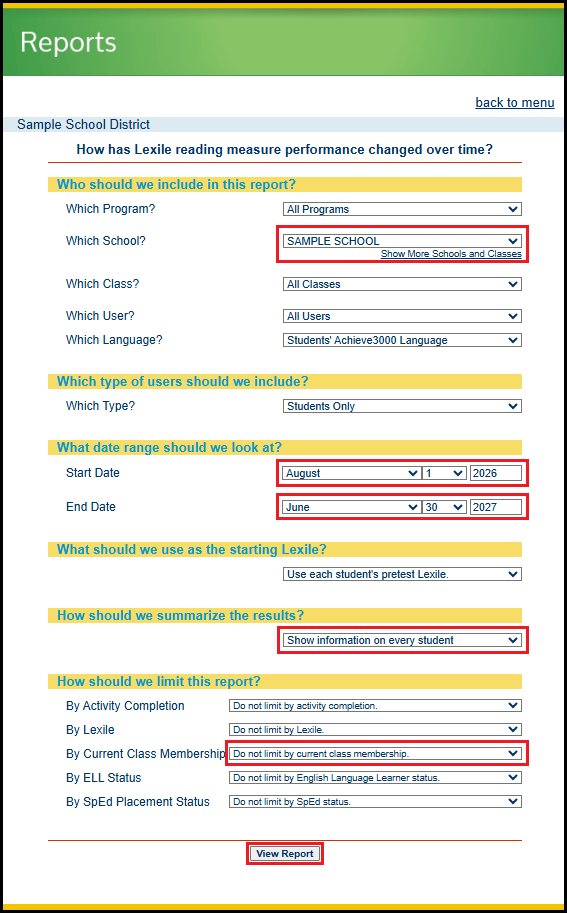
– Select a school from the dropdown. Note that you can only select one school at a time.
– Choose August 1st for the school year you wish to download (e.g., August 1, 2026 for the 2026-2027 school year).
– Choose June 30th for the school year you wish to download (e.g., June 30, 2027 for the 2026-2027 school year).
– Select Show information on every student from the dropdown under “How should we summarize the results?”.
– Select Do not limit by current class membership from the dropdown under “How should we limit this report?” for “By Current Class Membership”.
– Click View Report
Step 5 – Export Reports to Excel
– In the pop-up window that appears, click Export to Excel in the top right corner.
Step 6 – Requesting Additional Schools
– Repeat Step 4 and select a different school.
IMPORTANT NOTE: Wait for the page to fully reload after selecting a different school before clicking the View Report button.
– Repeat Step 5 to export the new report.
– Continue repeating Step 4 and 5 until all school reports have been downloaded.
Step 7 – Sending Data to ECRA Group
– Rename each downloaded data file to include the following information before sending to ECRA:
– District name
– School name
– School year selected for download
– Send the downloaded data files to ECRA using your district’s secure data transfer folder.