
Overview
This guide provides step-by-step instructions for creating a new user account in the Renaissance Learning platform. Follow these instructions to ensure proper setup. You can also use the guide available on the Renaissance Support website.
Instruction Guide
Step 1 – Logging In
– Log in to Renaissance Learning using your district’s designated Renaissance login page.
Step 2 – Accessing Manage Apps & Users Page
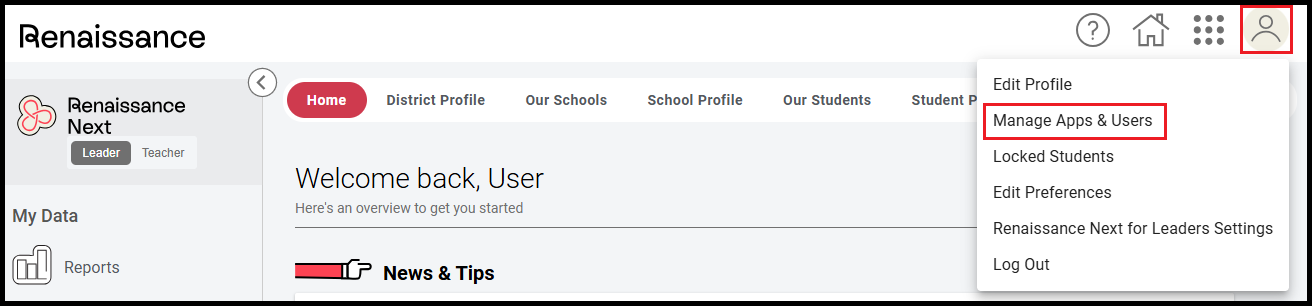
– Click the circle user icon on the top right corner of the page.
– Select Manage Apps & Users from the dropdown menu.
Step 3 – Accessing Users Page
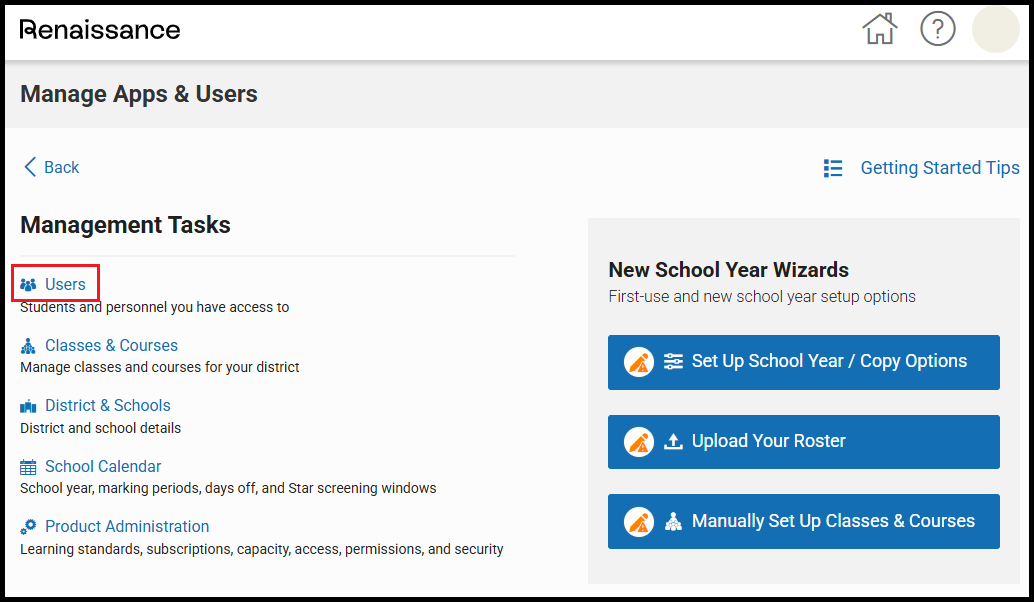
– Under Management Tasks, click Users.
Step 4 – Accessing Add New User Page
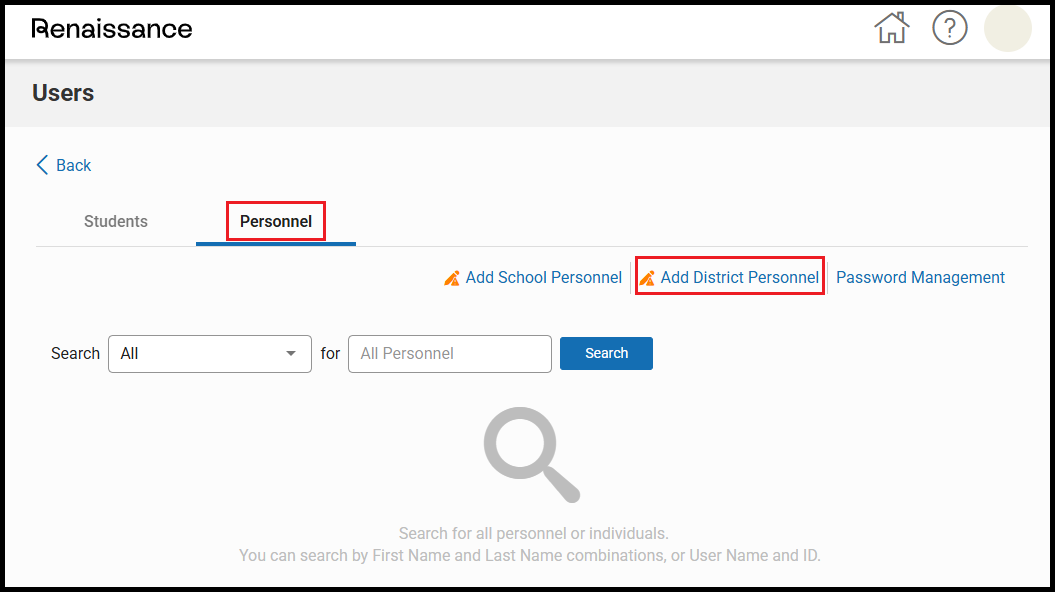
– Click on the Personnel tab.
– Click Add District Personnel.
Step 5 – Creating a New User
– Create a new user account with the following information:
– Permission Group: District Staff
– Name: ECRA Group
– User Name & Email: combine your district name + @ecragroup.com (e.g., SampleDistrict@ecragroup.com).
– Password: Enter a temporary password.
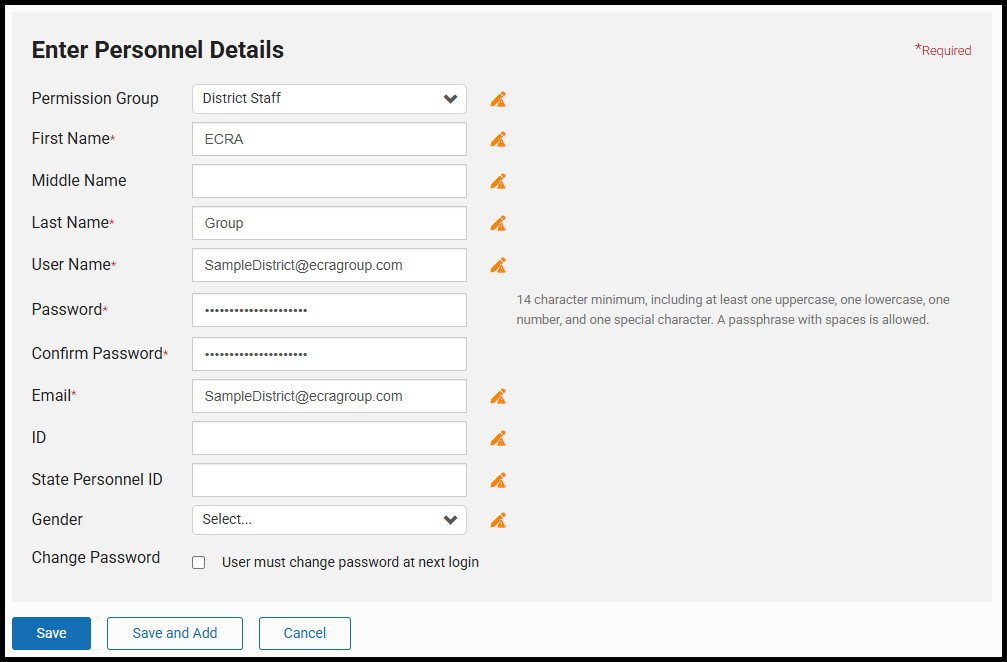
– Click Save and Add.
Step 6 – Notifying Your ECRA Analyst
– Email your ECRA Analyst the username and temporary password you created.
